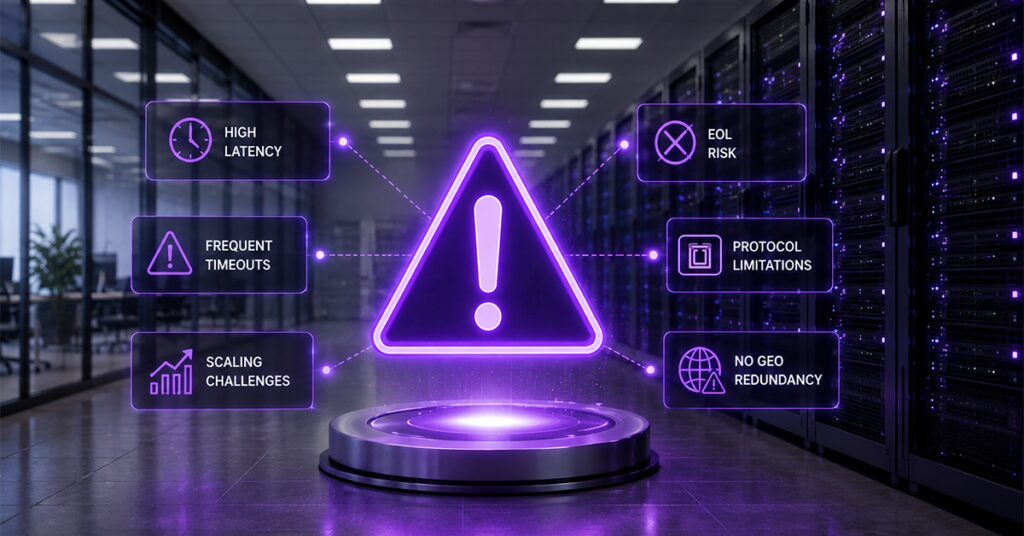
Nobody schedules a meeting to discuss whether the Authentication, Authorization, and Accounting (AAA) server is fine. The platform authenticates every session, the dashboards are green enough, and attention goes elsewhere. Then the evening peak produces a spike in RADIUS authentication timeouts, a vendor email announces an end-of-support date, or a new requirement arrives in a protocol the platform cannot speak. If any of those sound familiar, this is the diagnostic to run before that meeting gets scheduled for you.
A RADIUS or AAA server typically needs an upgrade when authentication latency increases under peak load, sessions drop during high-traffic periods, the vendor has announced end-of-life support, or the platform cannot add newer protocols such as Diameter for 4G/5G authentication alongside RADIUS.
Each sign below comes with the mechanism behind it and the business risk it translates to, enough to tell a platform that needs tuning from one that has outgrown your network. It is written for engineers at broadband, mobile, and Wi-Fi operators and Mobile Virtual Network Operators (MVNOs) running an aging deployment: open source, homegrown, or an end-of-life commercial product. If you need the fundamentals first, start with how RADIUS authentication works and come back.
What actually happens when a RADIUS is undersized
RADIUS runs over UDP (RFC 2865). There is no connection, no delivery guarantee, and no back-pressure signal. When a network access server (NAS) such as a broadband network gateway (BNG) or wireless controller sends an Access-Request and gets no reply within its timeout, it does not wait. It retransmits. A saturated server now receives extra load precisely because it is slow, and the queue compounds. Past a threshold, the NAS marks the server dead and fails over. If there is nowhere to fail over to, subscribers simply cannot connect.
6 signs it’s time to upgrade your RADIUS or AAA server
Signs one through three are capacity symptoms you can read from your own monitoring. Signs four through six are structural: no amount of tuning fixes them.
| SR. Nos | Sign | Technical mechanism | Business risk |
| 1 | Authentication latency creeping up | Response times drifting toward NAS timeout values; retransmit counters rising | Slow connects, CPE retry loops, rising helpdesk volume |
| 2 | Session drops at peak hours | Request queue overflows under evening or storm load; NAS marks server dead | Subscribers offline during the hours they notice most; churn |
| 3 | Manual scaling eating engineering time | Vertical scaling and hand-managed instances; config drift; change windows for capacity | Engineering hours consumed by run work instead of growth projects |
| 4 | Vendor support ending (EOL) | No more security patches, protocol updates, or escalation path | Compliance findings; unpatched exposure; a migration on someone else’s schedule |
| 5 | Protocol ceiling | RADIUS-only platform cannot add Diameter interfaces or TACACS+ device administration | New services (4G/5G core, MVNO deals, security mandates) blocked or bolted on |
| 6 | No geo-redundancy | Single site or active-passive with untested failover | A site failure takes authentication down network-wide, all subscribers at once |
- Authentication latency is creeping up: Not failing, creeping. Median response time drifts from a few milliseconds toward tens, then past it, and p99 approaches your NAS retransmit timer. The mechanism is usually a backend that no longer keeps up: subscriber lookups against a database that has grown tenfold, or a single-threaded design saturating one core while the rest idle. Watch retransmit counters on your NAS fleet; they rise before user complaints do, and the trend line only goes one direction.
- Sessions drop during peak hours: If your authentication failure rate has a daily shape (clean at 4 a.m., ragged at 9 p.m.), you have a capacity problem, not a configuration problem. The dangerous version is the reauthentication storm: after an outage upstream, the platform that runs fine at steady state has to authenticate a large fraction of the subscriber base in minutes. A platform that fails this test extends the outage past the point where the fault was fixed: the network is healthy, but nobody can get back on it. Your outage postmortems will show the pattern if it exists.
- Scaling is manual and it is eating your engineers: Adding capacity means a bigger server, a maintenance window, and a weekend. Instances are configured by hand and drift apart. The person who understands the deployment is a single point of failure with a calendar. None of this appears on a license invoice, which is why homegrown and open-source estates so often look free while consuming the exact engineering time the growth roadmap needed. The question worth asking is not what the platform costs, but how many engineering hours a month go into keeping it running rather than extending it.
- Your vendor has announced end-of-life: This is the unambiguous sign, because it converts a technical judgment into a deadline. After end of support there are no security patches for a system that stores credentials and sits in the path of every session, a fact your next security audit will state less politely. When a widely deployed AAA platform reaches end of support, a stable estate becomes a vendor decision nobody put in the budget. Treating the final support date as the planning start date is the classic mistake: parallel builds and phased cutovers take months, and starting late means migrating under duress.
- You’ve hit a protocol ceiling: A RADIUS-only platform was the right purchase for a broadband estate. Then the network converges: the 4G Evolved Packet Core (EPC) boundary needs Diameter interfaces (S6b, SWx, Gx, Gy among them), a security mandate requires TACACS+ command authorization on network devices, or live session control requires the RADIUS dynamic authorization extensions (RFC 5176) your platform never implemented. The workaround is a second point product per protocol: a second license, a second data store, a second thing to page you. The upgrade path is consolidation onto a platform that terminates RADIUS, Diameter, and TACACS+ natively, a decision we examine in why protocol breadth belongs in vendor evaluation.
- You have no geo-redundancy: AAA sits in the connection path. If your deployment is one site, or an active-passive pair whose failover was last tested at install time, then a single site failure means no subscriber can establish a session anywhere on the network. Carrier practice is active-active across sites, with failover exercised routinely rather than discovered during an incident. If a data center loss would take your authentication with it, the platform is undersized in the dimension that matters most, whatever its normal-day throughput.
Are RADIUS servers still used?
Yes. RADIUS remains the standard authentication protocol for broadband, Wi-Fi, and enterprise network access, and essentially all mainstream access equipment supports it. What changes is the platform behind the protocol: modern deployments run RADIUS alongside Diameter and TACACS+ on consolidated, cloud-ready AAA platforms rather than on standalone single-protocol servers.
What upgrading actually looks like
Engineers sit on these symptoms because “replace the AAA server” sounds like open-heart surgery on the network. In practice the method is well established, and it never involves a big-bang cutover.
It runs in four stages. First, a parallel build: the new platform deploys alongside the old one, integrated with the same subscriber store and billing systems, carrying no live traffic. Second, traffic shadowing: production authentication requests are mirrored to the new platform and its responses compared against the incumbent’s until behavior matches on real traffic. Third, phased cutover: NAS groups or realms move one at a time, each with a tested rollback, so any surprise affects a slice of the network rather than all of it. Fourth, accounting last: usage records migrate only after reconciliation against the legacy system proves billing continuity.
Subscribers experience none of it, sessions authenticated by the old platform keep running while new attempts land on the new one. It is also the natural moment to reconsider deployment shape: containerized on Kubernetes, on virtual machines, or handed off entirely to a managed cloud RADIUS service if the run burden from sign three is what you most want gone.
This is the migration work the Alepo AAA Server platform was built around: RADIUS, Diameter, and TACACS+ with the full Extensible Authentication Protocol (EAP) family on one stack, and active-active geo-redundancy designed for 99.999% availability. Alepo deployed 35+ operators globally, including networks serving millions of subscribers, and a large share of that work has been migration off platforms that had reached the limits described above.
Frequently asked questions
Q1. Are RADIUS servers still used today?
Yes. RADIUS is still the default authentication protocol for broadband, Wi-Fi, and enterprise access networks, supported by essentially all access equipment. Modern networks pair it with Diameter (for 4G core interfaces) and TACACS+ (for device administration) on consolidated AAA platforms.
Q2. What is a RADIUS server used for?
A RADIUS server authenticates users and devices connecting to a network, authorizes what each session is allowed (bandwidth profile, IP pool, service tier), and records accounting data for billing. Every time a subscriber’s connection comes up, a RADIUS exchange decides whether and how it connects.
Q3. Is a RADIUS server the same as an AAA server?
Not exactly. AAA (authentication, authorization, and accounting) is the function; RADIUS is one protocol that delivers it. A RADIUS server is an AAA server that speaks RADIUS. Carrier-grade AAA platforms implement the same function over several protocols at once: RADIUS, Diameter, and TACACS+.
Q4. How much load can a RADIUS server handle before it needs upgrading?
There is no universal number; capacity depends on architecture, EAP method mix, and backend design. The sizing test that matters is not steady-state transactions per second but the reauthentication storm after an outage. If your platform cannot clear that peak with headroom, it is undersized.
Q5. How long does an AAA server migration usually take?
It depends on estate size and protocol mix, but the shape is consistent: parallel build, traffic shadowing, phased cutover by NAS group or realm, accounting last. Vendors who have done this repeatedly will put a timeline against your specific estate rather than quote a generic figure. Treat that specificity as an evaluation signal.
Q6. Can I upgrade a RADIUS server without downtime?
Yes, and this should be a hard requirement. The parallel-build method keeps the legacy platform serving live traffic while the new one is built, shadowed, and cut over in phases with rollback at each step. A vendor who proposes a flag-day cutover is telling you they have not done many of these.
Book a demo, we will walk through how the Alepo AAA Server handles reauthentication storms, protocol consolidation, and active-active failover on a network shaped like yours and what a phased migration off your current platform would involve.